
Roadside Assistance
At a glance
BMW Roadside Assistance* can be contacted if assistance is needed in the event of a breakdown.
Roadside Assistance* can also be contacted via a Check Control message.
Starting Roadside Assistance
Vehicles not equipped with BMW Assist or BMW TeleService
1. "ConnectedDrive"
2. "Roadside Assistance"
The Roadside Assistance number is displayed. If the mobile phone* is paired, a connection is established to Roadside Assistance.
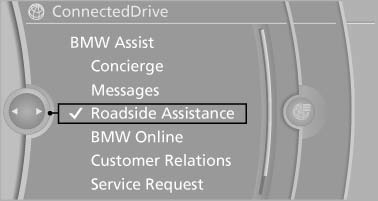
Vehicles equipped with BMW Assist or BMW TeleService
1. "ConnectedDrive"
2. "Roadside Assistance"
3. "Start service"
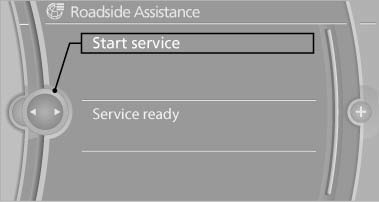
TeleService Diagnosis*
TeleService Diagnosis enables the wireless transmission of detailed vehicle data that are important for vehicle diagnosis. These data are transmitted automatically.
After the data are transmitted, the voice connection to Roadside Assistance is re-established.
TeleService Help
TeleService Help enables an in-depth diagnosis of the vehicle by Roadside Assistance via wireless transmission.
TeleService Help can be started after a prompt by Roadside Assistance and the termination of the voice connection.
Starting TeleService Help
1. Park the vehicle in a safe place.
2. Set the parking brake.
3. The engine is running.
4. "TeleService Help"
After completion of TeleService Help, a voice connection is established to Roadside Assistance.
See also:
Deleting the button assignments
1. Press buttons 1 and 8 simultaneously for
approx. five seconds.
2. "OK" ...
Changing, maintaining, and storing the speed
The rocker switch can be pressed while the system
is interrupted to maintain and store the current
speed. DSC Dynamic Stability Control is
switched on, if necessary.
Adapting the desired s ...
General information
Lamps and bulbs make an essential contribution
to vehicle safety.
The manufacturer of the vehicle recommends
that you entrust corresponding procedures to
the service center if you are unfamiliar ...