
My contacts
General information
List of all contacts stored in the vehicle.
Displaying contacts
1. "Contacts"
2. "My contacts"
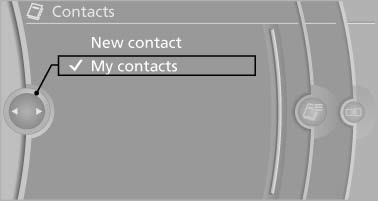
All contacts are listed in alphabetical order. Depending on the number of contacts, an A-Z search is offered.
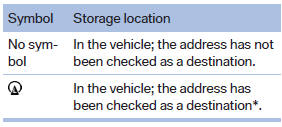
A symbol indicates the storage location of the contacts:
Editing a contact
1. Select the desired contact.
2. "Edit contact"
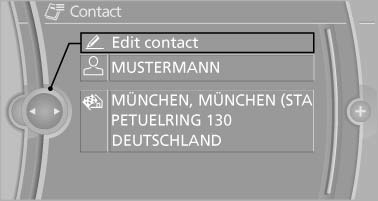
3. Change the entries.
4. Move the controller to the left.
5. "Yes"
Selecting the contact as a navigation destination*
1. Select the desired contact.
2. Select the address.
3. "Start guidance" or "Add as another destination"
Checking the address as a destination*
An address that is to be used for destination guidance must match the navigation data contained in the vehicle. The address can be checked for this purpose.
1. Select the desired contact and highlight the address.
2. Open "Options".
3. "Check as destination"
4. Correct and store the address if necessary.
Selecting the sorting order of the names
Names can be displayed in a different order.
1. "My contacts"
2. Highlight the contact.
3. Open "Options".
4. "Display: last, first name" or "Display: first, last name"
Exporting/importing contacts
Contacts can be exported and imported via the Personal Profile.
Deleting contacts
1. "My contacts"
2. Highlight the contact.
3. Open "Options".
4. "Delete contact" or "Delete all contacts"
See also:
Child seat security
Child seat security
The rear safety belts and the front passenger
safety belt can be locked against pulling out for
mounting the child restraint fixing systems.
Locking the safety belt
1. P ...
The Inside
The interior styling is all-new, but BMW has taken an evolutionary approach,
as there's still a strong resemblance to the previous generation's cabin.
Befitting this class, it's decked out with ri ...