
Tasks
Displaying the task list
Display tasks that are due within the next 90 days.
1. "Office"
2. "Tasks"
Sorting the task list
1. Select the header in the task list.
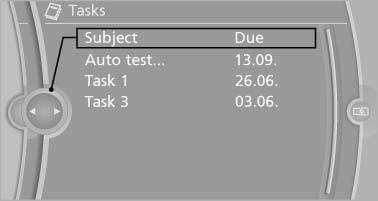
2. Select the sorting criterion:
- "Priority (!)"*
- "Subject"
- "Due date"
Displaying the task
1. Select the desired task.
2. Scroll in the task if necessary:
- Turn the controller.
- ▷

 Select the symbol.
Using contact data
Contact data from appointments, e-mails and notes can be saved or selected*.
Reading the task out loud*
Read the task out loud.
See also:
Activating
1. Turn the light switch to or
.
2. Press the button on the turn signal lever, arrow.
The indicator lamp in the
instrument
cluster lights up.
When the lights are switched on, the
high be ...
Stored stations
General information
It is possible to store up to 40 stations.
Calling up a station
1. "Radio"
2. "Presets"
3. Select the desired station.
Storing a station
The station curr ...
Interior motion sensor
For the sensor to function properly, the windows
and glass sunroof/panoramic glass sunroof
must be closed. ...