
Assistance functions
Functional requirement
- The backup camera is switched on.
- The trunk lid is fully closed.
Pathway lines
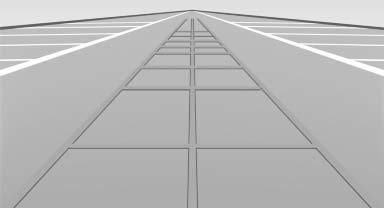
- Can be shown in the backup camera image when in transmission position R.
- Help you to estimate the space required when parking and maneuvering on level roads.
- Are dependent on the current steering angle and are continuously adjusted to the steering wheel movements.
Show the parking aid lines.
Turning circle lines
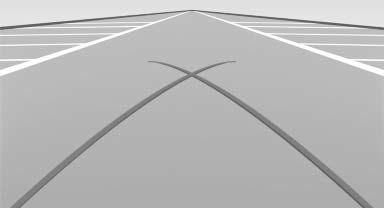
- Can be shown in the backup camera image.
- Show the course of the smallest possible turning circle on a level road.
- Only one turning circle line is displayed when the steering wheel is turned.
Show the parking aid lines.
Parking using pathway and turning circle lines
1. Position the vehicle so that the turning circle lines lead to within the limits of the parking space.
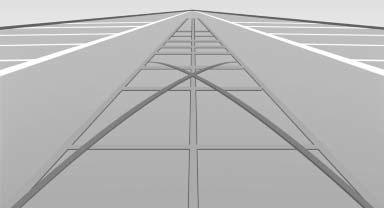
2. Turn the steering wheel to the point where the pathway line covers the corresponding turning circle line.
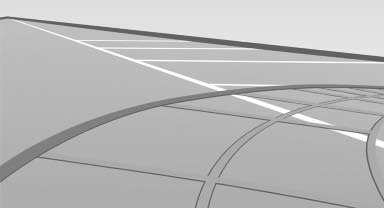
Obstacle marking
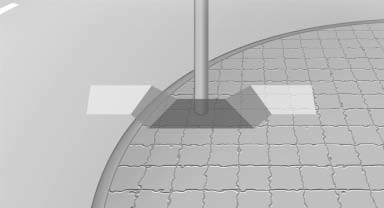
▷ Spatially-shaped markings can be shown in the backup camera image.
Their colored steps match the markings of the PDC. This simplifies estimation of the distance to the object shown.
See also:
Route
Different views of the route are available during
destination guidance:
Arrow view in the instrument cluster and on
the Control Display.
List of route sections.
Map view.
Arrow view in ...
Trip computer
There are two types of computer.
▷ "Onboard info": the values can be reset as
often as necessary.
▷ "Trip computer": the values provide an overview
of the current ...
At a glance
1 Control button
2 Mirror display ...