
Displays in the instrument cluster
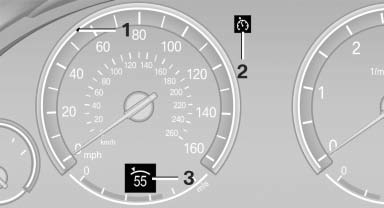
1 Display of desired speed
2 Indicator lamp
3 Brief status display
Desired speed
Display in the speedometer:
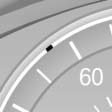
- The marking lights up in green: the system is active.
- The marking lights up in orange: the system has been interrupted.
- The marking does not light up: the system is switched off.
Brief status display
Brief display in the speedometer:
 Selected desired speed
If --- appears briefly, conditions may not be adequate to operate the system.
See also:
2011 BMW 750 Review by David Thomas
As the 2010 7 Series ebbs into the 2011 with few changes, I spent some time
driving the 750Li xDrive. That's BMW's long-wheelbase, all-wheel-drive version
of its flagship sedan.
While I was impr ...
Towing other vehicles
General information
Light towing vehicle
Your vehicle must not be lighter than the
vehicle being towed; otherwise, it will not be
possible to control vehicle response.
Attaching the tow bar/t ...
Setting the voice dialog
You can set whether the system should use the
standard dialog or a shorter version.
In the shorter variant of the voice dialog, the announcements
from the system are issued in an
abbreviated fo ...