
Activating HDC
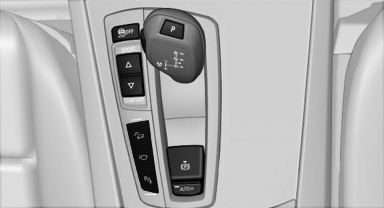
 Press the button; the LED above
the button
lights up.
Press the button; the LED above
the button
lights up.
See also:
Selecting the map view
1. "Navigation"
2. "Map" ...
Enlarging the cargo area
General information
The cargo area can be enlarged by folding down
the rear seat backrests.
The rear seat backrest is divided into two parts
at a ratio of 60 to 40.
If equipped with through-l ...
Malfunction
The small warning
lamp flashes in yellow
and then lights up continuously;
the larger warning lamp comes on in
yellow. On the Control Display, the
tires are shown in gray and a message appear ...