
Date
Setting the date
1. "Settings"
2. "Time/Date"
3. "Date:"
4. Turn the controller until the desired day is
displayed.
5. Press the controller.
6. Make the necessary settings for the month
and year.
The date is stored.
Setting the date format
1. "Settings"
2. "Time/Date"
3. "Format:"
4. Select the desired format.
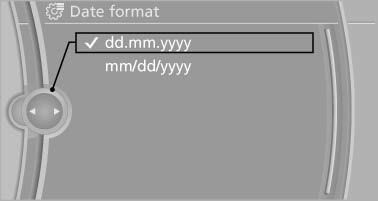
The date format is stored.
See also:
Opening
Pull on the opener and fold the cooler forward. ...
Notes
▷ Do not cover lower screen edge, since this
is where the sensors and the infrared interface
are installed.
▷ When loading the rear seats and adjusting
the backrest of the front sea ...
Performance
For 2009, there's just one engine: a 3.0-liter six-cylinder that's good for
260 horsepower. It teams with either a six-speed manual or a six-speed automatic
transmission. All X3s have all-wheel dr ...