
Selecting menu items
Menu items shown in white can be selected
1. Turn the controller until the desired menu item is highlighted
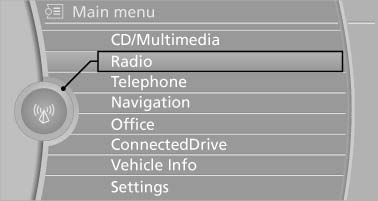
Turn the controller until the desired menu
item is highlighted
2. Press the controller
Menu items in the Owner's Manual
In the Owner's Manual, menu items that can be selected are set in quotation marks, e.g., "Settings".
See also:
The concept
The central locking system becomes active
when the driver's door is closed.
The system simultaneously engages and releases
the locks on the following:
▷ Doors.
▷ Tailgate.
▷ ...
System limits
Top View cannot be used in the following situations:
▷ With a door open.
▷ With the trunk lid open.
▷ With an exterior mirror folded in.
▷ In poor light.
A Check Control m ...
Controls
1. Change entertainment sources
2. Change station/track
3. Programmable memory buttons
4. Volume, on/off
5. Change wave band ...