
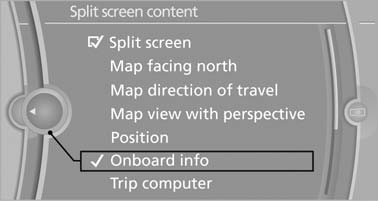
Selecting the display
1.  Press the button.
2. "Split screen"
3. Move the controller until the split screen is selected.
4. Press the controller or select "Split screen content".
5. Select the desired menu item.
See also:
BMW X6
BMW X6
To fold out, press against upper edge.
Do not obstruct view
When suspending clothing from the
hooks, ensure that it will not obstruct the driver's
vision.◀
No heavy objects ...
Display on the Control Display
The traffic area to the left and right is displayed
on the Control Display.
Guidelines at the bottom of the image show the
position of the front of the vehicle.
Brightness
With the Side View ...
Capacities
...