
Selecting menu items
Menu items shown in white can be selected.
1. Turn the controller until the desired menu item is highlighted.
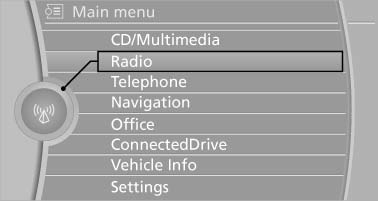
2. Press the controller.
Menu items in the Owner's Manual
In the Owner's Manual, menu items that can be selected are set in quotation marks, e.g., "Settings".
See also:
Example: playing back a CD
1. If necessary, switch on entertainment audio output.
2. Press the button on the steering wheel.
3. {C D and multimedia}
The system plays the last media played.
4. Press ...
Connecting a particular mobile phone
If more than one mobile phone is detected by the
vehicle, the mobile phone at the top of the list is
connected. If a different detected cell phone is
connected with the vehicle. A different mobi ...
Sockets
The lighter socket can be used as a socket for
electrical equipment while the engine is running
or when the ignition is switched on. The total
load of all sockets must not exceed 140 watts at
...