
Control Display
Notes
- To clean the Control Display, follow the care instructions.
- Do not place objects close to the Control Display; otherwise, the Control Display can be damaged.
Switching off
1.  Press the button.
2. "Switch off control display"
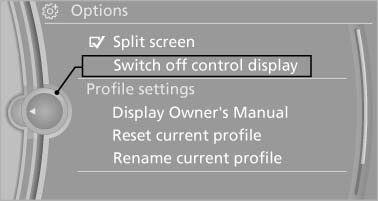
Switching on
Press the controller again to switch the screen back on.
See also:
Personal Profile settings
The following functions and settings can be
stored in a profile.
More information on the settings can be found
under:
► Collision warning: warning time, last setting
on/off.
► Ex ...
Adjusting
Vehicle
Equipment
...
Reporting safety defects
For US customers
The following only applies to vehicles owned
and operated in the US.
If you believe that your vehicle has a defect
which could cause a crash or could cause injury
or death, you ...