
Tasks
Displaying the task list
Display tasks that are due within the next 90 days.
1. "Office"
2. "Tasks"
Sorting the task list
1. Select the header in the task list.
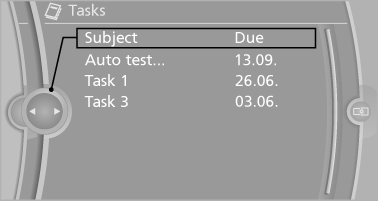
2. Select the sorting criterion:
► "Priority (!)"
► "Subject"
► "Due date"
Displaying the task
1. Select the desired task.
2. Scroll in the task if necessary:
► Turn the controller.
►

 Select the symbol.
Using contact data
Contact data from appointments, tasks, text messages, e-mails and notes can be saved or selected.
Reading the task out loud
Read the task out loud.
See also:
View of an opened menu
When a menu is opened, it generally opens with
the panel that was last selected in that menu. To
display the first panel of a menu:
► Move the controller to the left repeatedly
until the f ...
Current fuel consumption
Displays the current fuel
consumption.
You can check
whether you are currently driving
in an efficient and environmentally-
friendly manner.
Displaying the current fuel
consumption
1. &q ...
Leafing through the Owner's Manual
Page by page with link access
Turn the controller until the next or previous
page is displayed.
Page by page without link access
Leaf through the pages directly while skipping
the links.
Highl ...