
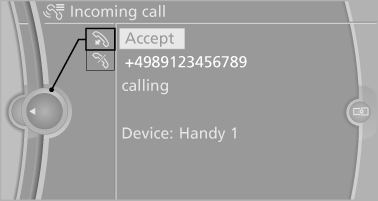
Incoming call
Receiving calls
If the number of the caller is stored in the phone book and is transmitted by the network, the name of the contact is displayed. Otherwise, only the phone number is displayed.
If more than one phone number is assigned to a contact, only the name of the contact is displayed.
For calls on the additional telephone, the number is only displayed if it is transmitted by the network.
An incoming call to the additional telephone is automatically rejected if there is an active call on the other telephone.
Accepting a call
Via iDrive
 "Accept"
Via the button on the steering wheel
 Press the button.
Via the instrument cluster
"Accept"
Rejecting a call
Via iDrive
 "Reject"
Via the instrument cluster
"Reject"
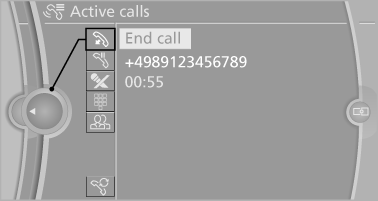
Ending a call
Via iDrive
 "End call"
Via the button on the steering wheel
 Press the button.
Via the instrument cluster
"End call"
See also:
Communication
All of the options available to you for mobile
communication with family, friends, business
partners, and service providers are described in
this chapter. ...
Changing wheels
Notes
The vehicle equipment does not include a spare
tire.
When using run-flat tires or tire sealants, a tire
does not need to be changed immediately in the
event of pressure loss due to a fla ...
Switching on/off
1. "Settings"
2. "Head-up display"
3. "Head-up display"
Switch the Head-up Display ON/OFF as required. ...