
AUX-IN port
At a glance
► For connecting audio devices, e.g., MP3
player. The sound is output on the vehicle
loudspeakers.
► Recommendation: use medium tone and
volume settings on the audio device. The
tone depends on the quality of the audio
files.
Connecting
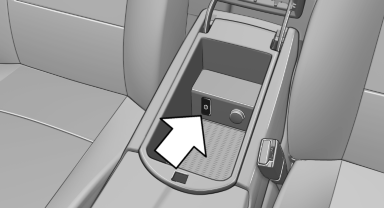
The AUX-IN port is located in the center armrest.
Connect the headphones or line-out connector of the device to the jack plug.
Playback
1. Connect the audio device, switch it on and
select a track on the audio device.
2. "CD/Multimedia"
3. If necessary. "External devices".
4.  "AUX front"
The sound is played back on the vehicle loudspeakers.
Volume
The volume of the sound output is dependent on the audio device. If this volume differs markedly from the volume of the other audio sources, it is advisable to adjust the volumes.
Adjusting the volume
1. "CD/Multimedia"
2. If necessary. "External devices".
3.  "AUX front"
4. "Volume"
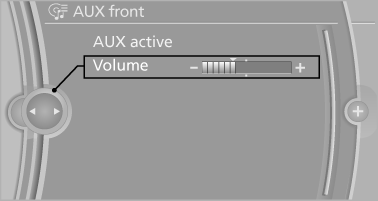
5. Turn the controller until the desired volume is set and press the controller.
See also:
USB audio interface/mobile phoneaudio interface
At a glance
It is possible to connect external audio devices.
Operation can be performed via iDrive. The
sound is output on the vehicle loudspeakers.
Connectors for external devices
► Con ...
Overview
In 2004 BMW X3 introduced a new concept to the market: the small, premium
Sports Activity Vehicle with all-road capability and unparalleled driving
dynamics. This first generation BMW X3 became a ...
Belt-force limiter
The effect of the belt-force limiter on the driver's
seat is dependent on the position of the driver's
seat.
To maintain the long-term accuracy of this function,
the driver's seat must be calib ...