
Treble, bass, balance, andfader
► "Treble": treble adjustment.
► "Bass": depth adjustment.
► "Balance": left/right volume distribution.
► "Fader": front/rear volume distribution.
Setting treble, bass, balance, and fader
1. "CD/Multimedia", "Radio" or "Settings"
2. "Tone"
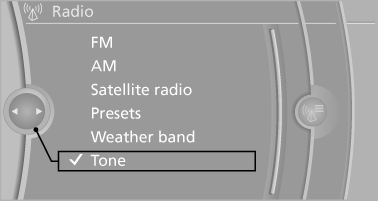
3. Select the desired tone settings.
4. To adjust: turn the controller.
5. To store: press the controller.
See also:
Roadside Assistance
BMW Roadside Assistance is available by phone around the clock in many countries.
You can obtain support there in the event of a breakdown. ...
Length, wheel base
Length, wheel base
1 Wheel base: 110.6 inches/2,810 mm
2 Vehicle length: 182 inches/4,624 mm ...
Initialization after a power failure
After a power failure, it is only possible to raise
the roof, if necessary.
Have the system initialized by your service center. ...