
Display on the Control Display
Display the computer or trip computer on the Control Display.
1. "Vehicle Info"
2. "Onboard info" or "Trip computer"
Resetting the fuel consumption and speed
1. "Vehicle Info"
2. "Onboard info"
3. "Cons." or "Speed"
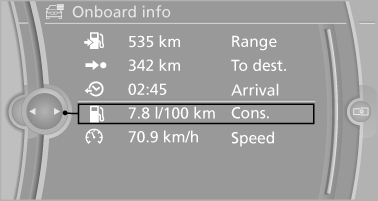
4. "Yes"
See also:
Selecting a category
1. "Radio"
2. "Satellite radio"
3. "Category"
4. Select the desired category. ...
Hiding Check Control messages
Press the computer button on the turn signal
lever.
Some Check Control messages are displayed
continuously and are not cleared until
the malfunction is eliminated. If several
malfunct ...
Date
Setting the date
1. "Settings"
2. "Time/Date"
3. "Date:"
4. Turn the controller until the desired day is
displayed.
5. Press the controller.
6. Make the necessary ...