
Adjusting the info display
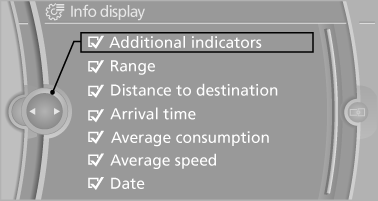
You can select what information from the computer is to be displayed on the info display of the instrument cluster.
1. "Settings"
2. "Info display"
3. Select the desired displays.
See also:
Arrow view
The following information is displayed during
destination guidance:
▷ Large arrow: indicates the current direction
of travel.
▷ Small arrow: indicates the next change in direction.
...
All other models: Oil levelcheck
The concept
The oil level is monitored electronically during
driving and shown on the Control Display.
If the oil level reaches the minimum level, a
check control message is displayed.
Requirem ...
Exclusively from BMW ConnectedDrive: a wide range of driver assistance
systems, including BMW Head-Up Display with a full spectrum of colours.
The selection of driver assistance systems and mobility services available
from BMW ConnectedDrive for the new BMW 6-Series Coupe is even broader than that
enjoyed by its predecessor. These system ...