
Rear seat heating
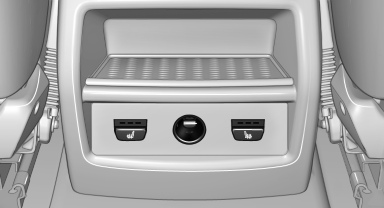
Switching on
 Press the button once for each
temperature
level.
Press the button once for each
temperature
level.
The maximum temperature is reached when three LEDs are lit.
If the drive is continued within approx. 15 minutes, the seat heating is activated automatically with the temperature selected last.
Switching off
Press the button longer.
The LEDs go out.
See also:
Ride & Handling
One of my main criticisms of the regular X5, which was redesigned for the
2007 model year, is its regular suspension doesn't offer the balance between
ride comfort and handling prowess that I've c ...
Information on the navigation data
1. "Navigation"
2. Open "Options".
3. "Navigation system version": information on
the data version is displayed. ...
Safety
The xDrive50i has upgraded brakes with aluminum calipers. BMW's Integrated
Chassis Management coordinates the Dynamic Performance Control differential with
stability and traction control systems t ...