
Front seat heating
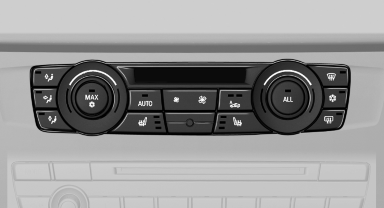
Switching on
 Press the button once for each
temperature
level.
The maximum temperature is reached when three LEDs are lit.
If the drive is continued within approx. 15 minutes, the seat heating is activated automatically with the temperature selected last.
Switching off
 Press the button longer.
The LEDs go out.
See also:
Displaying information on the instrument panel
Displaying information on the
instrument panel
Press the computer button on the turn signal
lever.
Information is displayed in the instrument cluster. ...
Opening the tone settings in
the Options menu*
1. "CD/Multimedia" or "Radio"
2. If necessary, select additional entries, for example,
"FM" or "CD/DVD".
3. Open "Options".
4. "Tone"
...
The concept
The iDrive combines the functions of a multitude
of switches. Thus, these functions can be operated
from a central location.
Using the iDrive during a trip
To avoid becoming distracted and posing ...