
Opening/closing the sliding visor
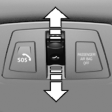 ► Press the switch in the
desired
direction to the resistance
point and hold it there.
► Press the switch in the
desired
direction to the resistance
point and hold it there.
The sliding visor moves while the switch is being held.
► Press the switch in the desired direction past the resistance point.
The sliding visor moves automatically.
Pressing the switch again stops the motion.
See also:
Display the calendar
Appointments during the last 20 days and the
next 50 days can be displayed.
1. "Office"
2. "Calendar"
The appointments on the current day are
displayed.
1. Select the date. ...
First aid pouch
Some of the articles contained in the first aid pouch have a limited service
life. Therefore, check the expiration dates of the contents regularly and replace
any items in good time, if necessary. ...
At a glance
These overviews of buttons, switches and
displays are intended to familiarize you with your
vehicle. You will also become quickly acquainted
with the available control concepts and options. ...