
Roadside Assistance
At a glance
BMW Roadside Assistance can be contacted if assistance is needed in the event of a breakdown.
Roadside Assistance can also be contacted via a Check Control message
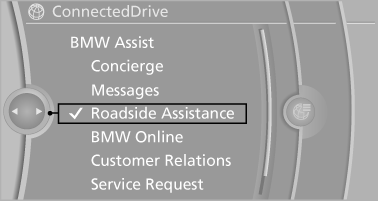
Start Roadside Assistance without BMW Assist or TeleServices
1. "BMW Assist" or "ConnectedDrive"
2. "Roadside Assistance"
The Roadside Assistance number is displayed.
If the mobile phone is paired, a connection is established to Roadside Assistance.
Start Roadside Assistance with BMW Assist or TeleServices
General information
If the vehicle is equipped with TeleServices, support is first offered through TeleService Diagnosis and, where applicable, then through TeleService Help.
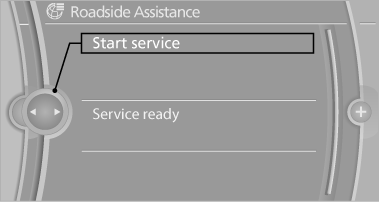
1. "BMW Assist" or "ConnectedDrive"
2. "Roadside Assistance"
3. "Start service"
TeleService Diagnosis
TeleService Diagnosis enables the wireless transmission of detailed vehicle data that are important for vehicle diagnosis. These data are transmitted automatically.
After the data are transmitted, the voice connection to Roadside Assistance is re-established.
See also:
Buttons on the remote control
Buttons on the remote control
1. Unlocking
2. Locking
3. Trunk lid
4. Panic mode, headlamp courtesy delay feature ...
Roadside Assistance
At a glance
BMW Roadside Assistance can be contacted if
assistance is needed in the event of a breakdown.
Roadside Assistance can also be contacted via
a Check Control message.
Start Roadside A ...
The concept
With Active Protection, critical driving situations
that might lead to an accident can be detected.
In in these situations, preventative protection
measures are automatically undertaken to minimi ...