
Filtering traffic bulletins
You can set which traffic bulletins appear on the map.
1. "Navigation"
2. "Map"
3. "Options" Open.
4. "Traffic Info categories"
5. Select the desired categories.
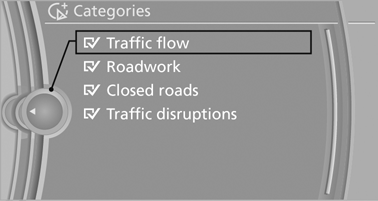
Traffic bulletins of the selected category are displayed on the map.
▷ Traffic bulletins that are relevant to the route
are always shown.
▷ For your own safety, traffic bulletins that notify
you of potentially dangerous situations,
such as wrong-way drivers, cannot be hidden.
See also:
Tire Pressure Monitor TPM
The concept
The tire inflation pressure is measured in the
four mounted tires. The system notifies you if
there is a significant loss of pressure in one or
more tires. ...
Opening/closing the sliding visor
► Press the switch in the
desired
direction to the resistance
point and hold it there.
The sliding visor moves while
the switch is being held.
► Press the switch in the desired ...
3rd row seats
The 3rd row seats are divided and offer space
for two persons.
Folding up backrest
Before folding up the backrest, remove the luggage
compartment roller cover, and, if necessary, slide t ...