
Last destinations
At a glance
The destinations previously entered are stored automatically.
The destinations can be called up and used as a destination for destination guidance.
Calling up the last destination
1. "Navigation"
2. "Last destinations"
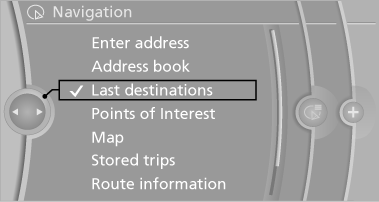
Starting destination guidance
1. "Navigation"
2. "Last destinations"
3. Select the destination.
4. "Start guidance"
Editing the destination
1. "Navigation"
2. "Last destinations"
3. Highlight the destination.
4. Open "Options".
5. "Edit destination"
Deleting the last destinations
1. "Navigation"
2. "Last destinations"
3. Highlight the destination.
4. Open "Options".
5. "Delete entry" or "Delete all last
destinations"
See also:
Interior equipment
Vehicle equipment
All standard, country-specific and optional
equipment that is offered in the model series is
described in this chapter. Therefore, equipment
is also described that is not avai ...
Adjusting the info display
You can select what information from the computer
is to be displayed on the info display of the
instrument cluster.
1. "Settings"
2. "Info display"
3. Select the desired dis ...
Managing a subscription
To be able to enable or unsubscribe from the channels, you must have reception.
It is usually at its best when you have an unobstructed view of the sky. The channel
name is displayed in the status ...