
Setting the clock
1.  Press the button. The main
menu is
displayed.
Press the button. The main
menu is
displayed.
2. Turn the controller until "Settings" is highlighted, and then press the controller.
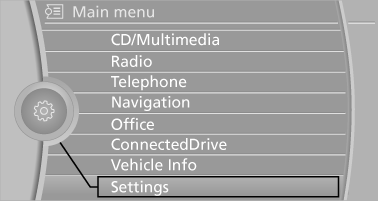
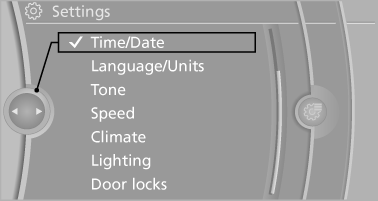
3. If necessary, move the controller to the left to display "Time/Date".
4. Turn the controller until "Time/Date" is highlighted, and then press the controller.
5. Turn the controller until "Time:" is highlighted, and then press the controller.
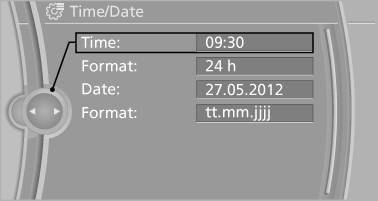
6. Turn the controller to set the hours and press the controller.
7. Turn the controller to set the minutes and press the controller.
See also:
Battery replacement
Use approved vehicle batteries
Only use vehicle batteries that have been
approved for your vehicle by the manufacturer;
otherwise, the vehicle could be damaged and
systems or functions may no ...
Notes
One person per safety belt
Never allow more than one person to wear
a single safety belt. Never allow infants or small
children to ride on a passenger's lap.◀
Putting on the belt
Lay ...
Opening
► Press the switch to the
resistance
point.
The window opens while the switch is held.
► Press the switch beyond the
resistance
point.
The window opens automatically.
Pre ...