
Notes
Displaying notes
1. "Office".
2. "Notes".
All notes are displayed.
Displaying the note
1. Select the desired note.
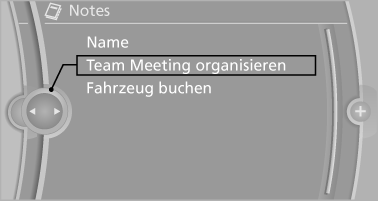
2. Scroll in the note if necessary:
▷ Turn the controller.
▷  Select the symbol.
Using contact data
Contact data from appointments, tasks, text messages, e-mails and notes can be saved or selected.
Reading the note out loud
Read the note out loud.
See also:
The concept
The backup camera provides assistance in parking
and maneuvering backwards. The area behind
the vehicle is shown on the Control Display. ...
Note
If equipped with Business mobile phone preparation
equipment package or without mobile
phone preparation. ...
The concept
The vehicle alarm system responds to:
Opening of a door, the hood or the trunk lid.
Movements in the vehicle: interior motion
sensor.
Changes in the vehicle tilt, e.g., during attempts
t ...