
Incoming call
Receiving calls
If the number of the caller is stored in the phone book and is transmitted by the network, the name of the contact is displayed.
Accepting a call
Via iDrive
 "Accept"
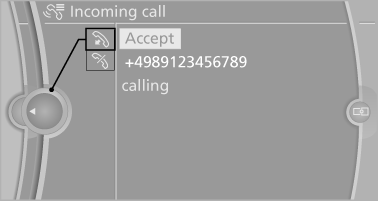
Via the button on the steering wheel
 Press the button.
Via the instrument cluster
"Accept"
Rejecting a call
Via iDrive
 "Reject"
Via the instrument cluster
"Reject"
Ending a call
Via iDrive
1. "Telephone".
2. Select an active call.
3.  "Active calls"
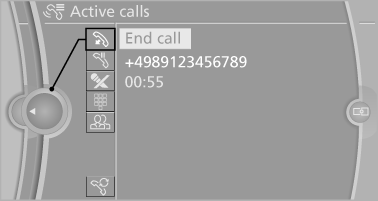
Via the button on the steering wheel
 Press the button.
Via the instrument cluster
"End call"
See also:
Functional requirements
The system must have been initialized when the
tire inflation pressure was correct; otherwise,
reliable signaling of a flat tire is not ensured. Initialize
the system after each correction of th ...
X6 in the Market
You might be thinking to yourself: Why is BMW coming out with another SUV?
Well, the South Carolina-built X5 has been a solid seller for BMW, giving the
brand a foothold in the SUV segment, but th ...
Automatic deactivation during forward travel
The system switches off when a certain driving
distance or speed is exceeded.
Switch the system back on if necessary. ...