
General information
The following functions are available:
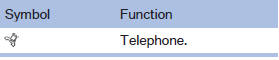
▷ Use of a mobile phone as a telephone.
Functions supported by the mobile phone are shown as a symbol during pairing.
White symbol: the function is active.
Gray symbol: the function is inactive.
See also:
Switching the wipers on/off and brief
wipe
Do not switch on the wipers if frozen
Do not switch on the wipers if they are frozen
onto the windshield; otherwise, the wiper
blades and the windshield wiper motor may be
damaged.
Switching ...
The concept
The rear view camera assists you when parking
and maneuvering in reverse. To accomplish this, the region behind your vehicle
is shown on the
Control Display. ...
Safety belts
Observe the adjustment instructions on page
45 to ensure the best possible personal protection.
Before every drive, make sure that all occupants wear their safety belts. Airbags
complement the s ...