
Managing a subscription
To be able to enable or unsubscribe from the channels, you must have reception. It is usually at its best when you have an unobstructed view of the sky. The channel name is displayed in the status line.
Enabling channels
The Unsubscribed Channels category contains all disabled channels.
1. "Radio".
2. "Satellite radio".
3.  "Category"
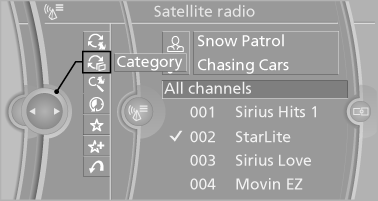
4. Select the Unsubscribed Channels category.
5. Select the desired channel.
The phone number and an electronic serial number, ESN, are displayed.
6. Call the phone number to have the channel enabled.
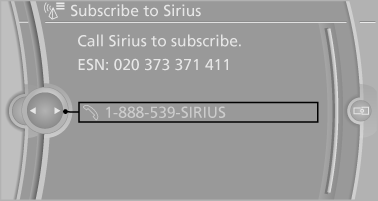
You can unsubscribe from the channels again via this phone number.
Unsubscribing from channels
1. "Radio".
2. "Satellite radio".
3. "Options" Open.
4. "Manage subscription"
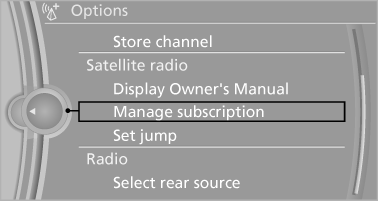
5. The phone number and an electronic serial number, ESN, are displayed.
6. Call Sirius to unsubscribe from the channels.
See also:
Residual heat
The heat stored in the engine is used to heat the
interior.
Functional requirement
▷ Up to 15 minutes after the engine has been
switched off.
▷ Warm engine.
▷ The battery is ...
Display in the instrument cluster
The collision warning can be issued in the instrument
cluster, in the Head-up Display, and
acoustically.
Warning stages
Adapting your speed and driving style
The display does not relieve the ...
Vehicle equipment
All standard, country-specific and optional
equipment that is offered in the model series is
described in this chapter. Therefore, equipment
is also described that is not available in a vehicle,
e ...