
Selecting a station manually
Station selection via the frequency.
1. "Radio".
2. "FM" or "AM".
3. "Manual".
4. To select the frequency: turn the controller.
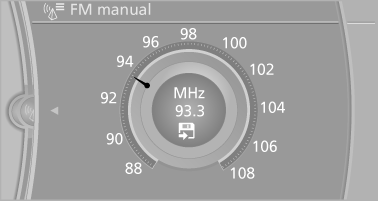
To store the station: press the controller for an extended period.
See also:
At a glance
A business search can be opened via BMW Online.
License conditions
This product contains NetFront Browser software
of ACCESS Co., Ltd. Copyright © 2007
ACCESS Co., Ltd. All rights reserved.
Ne ...
BMW Search
At a glance
A business search can be opened via BMW
Search.
License conditions
This product contains NetFront Browser software
of ACCESS Co., Ltd. Copyright © 2007
ACCESS Co., Ltd. All right ...
Notes
BMW CD/DVD players and changers are officially
designated Class 1 laser products. Do not operate if the cover is damaged; otherwise,
severe eye damage can result.
Do not use self-recorded CDs/DV ...