
Multi-channel playback, surround
Choose between stereo and multi-channel playback, surround.
Setting multi-channel playback, surround
1. "CD/Multimedia", "Radio" or "Settings".
2. "Tone".
3. "L7 Surround"
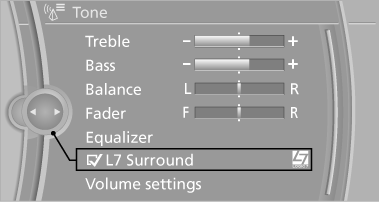
When surround is activated, multi-channel playback is simulated when a stereo audio track is played.
LOGIC7 and LOGIC7 logo are registered trademarks of Lexicon, Inc., a Harman International Group company.
See also:
Contacts
Vehicle equipment
All standard, country-specific and optional
equipment that is offered in the model series is
described in this chapter. Therefore, equipment
is also described that is not availab ...
Tail lamps
▷ Turn signal, brake lamp: 21-watt bulb,
P21W.
▷ Brake force display: 21-watt bulb, P21W.
▷ Backup lamp: 16-watt bulb, W16W
▷ Tail lamp: LED technology.
Contact your serv ...
Surround View
The concept
Surround View includes the following systems:
▷ Backup camera
▷ Side View.
▷ Top View.
It assists the driver when parking, maneuvering
and on blind driveways and i ...