
Last destinations
At a glance
The destinations previously entered are stored automatically.
The destinations can be called up and used as a destination for destination guidance.
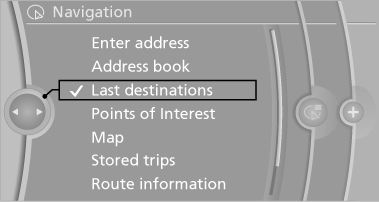
Calling up the last destination
1. "Navigation"
2. "Last destinations"
Starting destination guidance
1. "Navigation"
2. "Last destinations"
3. Select the destination.
4. "Start guidance"
Editing the destination
1. "Navigation"
2. "Last destinations"
3. Highlight the destination.
4. Open "Options".
5. "Edit destination"
Deleting the last destinations
1. "Navigation"
2. "Last destinations"
3. Highlight the destination.
4. Open "Options".
5. "Delete entry" or "Delete all last
destinations"
See also:
Oil change
An oil change should be carried out by your
service center only.
...
At a glance
At a glance
1 Air toward the windshield and side windows
2 Air for the upper body
3 Air to footwell
4 Automatic climate control with 2-zone control
Automatic climate control with 4-zone control ...
Overview
The premium compact BMW 1-Series is already synonymous with driving pleasure.
Now, the second generation offers state-of-the-art engine and suspension
technology, further improvements in fuel effi ...