
Display on the Control Display
Activating/deactivating systems
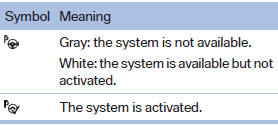
System status

Gray: the system is not activated.
Parking space search.
Blue: the system is activated. A suitable parking space was found.

The parking procedure is active.
Steering control has been seized.
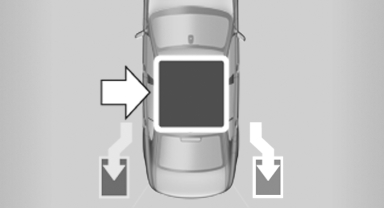
Status of the parking space search
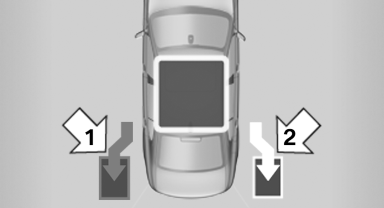
Status of the parking space search
▷ Gray, arrow 1: parking space search.
▷ Blue, arrow 2: parking space is suitable.
The vehicle is parked in the parking space if the parking procedure is active.
▷ No display: no parking space search.
See also:
Fog lamps
Front fog lamps
The parking lamps or low beams must be
switched on.
Press the button. The green
indicator
lamp lights up.
If the automatic headlamp control, refer to
page 86, is activated, ...
Profile management
Opening the profiles
A different profile can be called up than the one
associated with the remote control currently in
use.
1. "Settings"
2. "Profiles"
3. Select a profil ...
Starting destination guidance
›Start guidance‹ ...