
Visual warning
The approach of the vehicle to an object can be shown on the Control Display.
When the distance to an object is small, a red bar is shown in front of the vehicle, as it is in the PDC display.
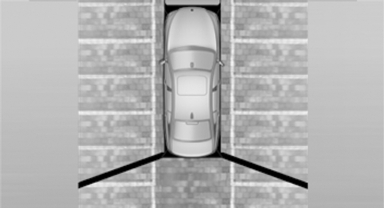
The display appears as soon as Top View is activated.
If the backup camera image was selected last, it again appears on the display. To switch to Top View:
 "Rear view camera" Select the
symbol on
the Control Display.
"Rear view camera" Select the
symbol on
the Control Display.
The setting is stored for the remote control currently in use.
See also:
Airbags
Airbags
1 Front airbags
2 Head airbags
3 Side airbags ...
Interior and exterior mirrors, automatic dimming feature
Interior and exterior mirrors, automatic
dimming feature
Two photocells are used for control:
▷ In the mirror glass, see arrow.
▷ On the back of the mirror.
For proper operation:
...
Parked-car ventilation
The concept
The parked-car ventilation ventilates the vehicle
interior and lowers its temperature, if necessary.
The system can be switched on and off at any
external temperature, either directl ...