
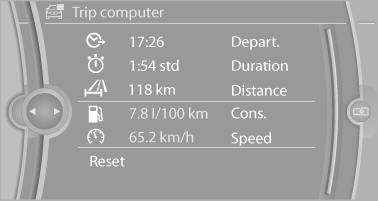
Trip computer
There are two types of computer.
▷ "Onboard info": the values can be reset as often as necessary.
▷ "Trip computer": the values provide an overview of the current trip.
Resetting the trip computer
1. "Vehicle Info"
2. "Trip computer"
3. "Reset": all values are reset.
"Automatically reset": all values are reset approx. 4 hours after the vehicle comes to a standstill.
See also:
Notes
Displaying notes
1. "Office"
2. "Notes"
All notes are displayed.
Displaying the note
1. Select the desired note.
2. Scroll in the note if necessary:
► Turn the c ...
2nd row seats
If the row of seats is divided, each side can be
adjusted separately.
Do not adjust the seat while driving
Never adjust the 2nd row seats while the
vehicle is moving, as otherwise the passenge ...
Transmitting the settings
Your personal settings can be taken with you to
another vehicle equipped with the Personal Profile
function. For more information, contact your
service center.
Transmission takes place via:
...