
Activating a list and creating the setting
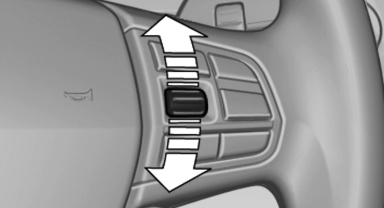
Activating a list and creating the setting
On the right side of the steering wheel, turn the thumbwheel to activate the corresponding list.
Using the thumbwheel, select the desired setting and confirm it by pressing the thumbwheel.
See also:
Camera
Camera
The camera is located near the base of the mirror.
Keep windshield clean and clear in the area in
front of the interior rear view mirror. ...
Deactivating the system
▷ When driving, press the lever up or down
twice.
▷ When stationary, do the same while depressing
the brake pedal.
▷ Switch off the ignition.
The displays go out, and the stor ...
Tail lamps, bulb replacement
At a glance
1. Turn signal
2. Reversing lamp
3. Inside brake lamp
4. Tail lamp
5. Outside brake lamp
6. Rear reflector
Turn signal, outer brake, tail, and
license plate lamps
Follow the ge ...