
Displaying the button assignment
Use a finger to touch the buttons. Do not wear gloves or use objects.
The key assignment is displayed at the top edge of the screen.
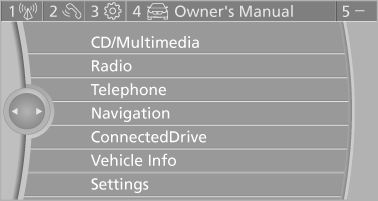
▷ To display short information: touch the button.
▷ To display detailed information: touch the button for an extended period.
See also:
The concept
The iDrive combines the functions of a multitude
of switches. Thus, these functions can be operated
from a central location.
Using the iDrive during a trip
To avoid becoming distracted and po ...
Calling Customer Relations
Vehicle not equipped with BMW Assist
or TeleService
1. "BMW Assist" or "ConnectedDrive"
2. "Customer Relations"
The Customer Relations phone number is displayed.
If ...
Operating from the outside
▷ Via the remote control.
▷ Via the driver's door lock.
▷ Via the door handles.
▷ Via the button in the trunk lid.
The following takes place simultaneously when
locking/u ...