
Inserting/removing the snap-in adapter
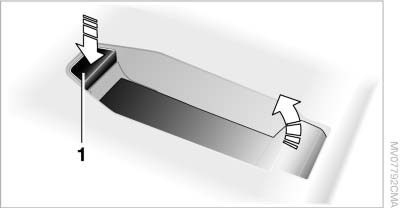
1. Press button 1 and remove the cover.
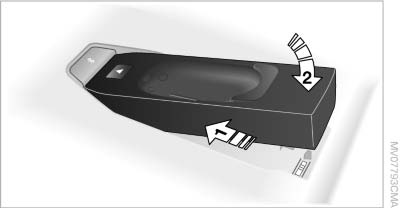
2. Insert the snap-in adapter at the front, arrow 1, and press down, arrow 2, until it engages.
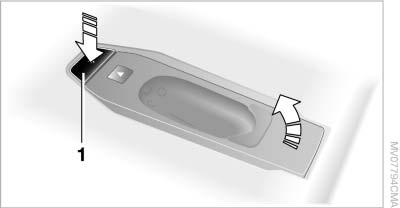
To remove the snap-in adapter: press button 1.
Inserting the mobile phone
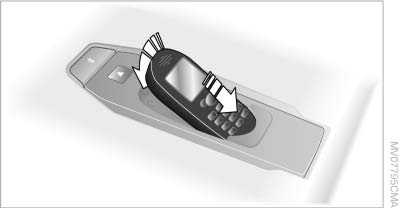
1. Depending on the mobile phone, remove the protective cap from the antenna connector and from the USB connection of the mobile phone.
2. With the buttons facing up, slide the mobile phone up toward the electrical contacts and press it down until it engages.
See also:
Indicator/warning lamps
Indicator/warning lamps
The indicator and warning lamps can light up in
a variety of combinations and colors.
Several of the lamps are checked for proper
functioning and light up temporarily ...
Roadside Assistance
BMW Roadside Assistance is available by phone around the clock in many countries.
You can obtain support there in the event of a breakdown. ...
Securing cargo
Lashing eyes in the cargo area
Lashing eyes in the cargo area
To secure the cargo, there are four lashing eyes
in the cargo area
Securing cargo
▷ Smaller and lighter items: secure with r ...