
Incoming call
Receiving calls
If the number of the caller is stored in the phone book and is transmitted by the network, the name of the contact is displayed. Otherwise, only the phone number is displayed.
If more than one phone number is assigned to a contact, only the name of the contact is displayed.
For calls on the additional telephone, the number is only displayed if it is transmitted by the network.
An incoming call to the additional telephone is automatically rejected if there is an active call on the other telephone.
Accepting a call
 Press the button
on the steering wheel.
Press the button
on the steering wheel.
or  "Accept"
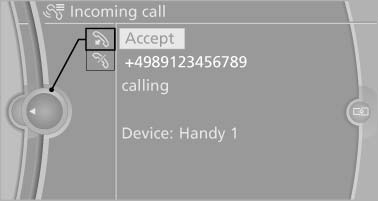
Accepting a call
Rejecting a call
 "Reject"
Ending a call
 Press the button
on the steering wheel.
Press the button
on the steering wheel.
or 1. "Telephone"
2. "Active calls"
3.  "End call"
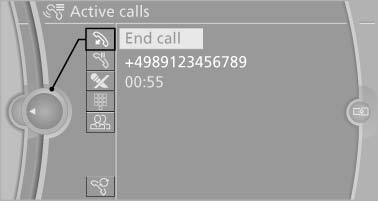
End call
See also:
Antilock Brake System ABS
ABS prevents locking of the wheels during braking.
The vehicle remains steerable even during full
brake applications, thus increasing active
safety.
ABS is operational every time you start the ...
Switching the high beams on and off
manually
Switching the high beams on and off
manually
▷ High beams on, arrow 1.
▷ High beams off/headlamp flasher, arrow 2.
To reactivate the High-beam Assistant, press
the button on the t ...
Notes
Displaying notes
1. "Office"
2. "Notes"
All notes are displayed.
Displaying the note
1. Select the desired note.
2. Scroll in the note if necessary:
▷ Turn the contr ...