
Calling up the last destination
1. "Navigation"
2. "Last destinations"
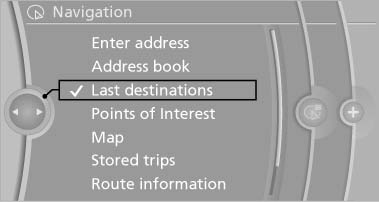
Last destinations
See also:
Controls
1 Change the entertainment source
2 CD/DVD* drive
3 Eject CD/DVD
4 Change station/track
5 Programmable memory buttons
6 Volume, on/off ...
Front lamps, bulb replacement
Halogen headlamps
At a glance
1. High beams
2. Parking lamps
3. Low beams
4. Turn signal
Parking lamps and roadside parking lamps,
lateral turn signal lamp
Follow the general instructions o ...
Head-up Display
The concept
This system projects important information into
the driver's field of vision, e.g., the speed.
In this way, the driver can get information without
averting his or her eyes from the ...