
Adjusting manually
Forward/backward
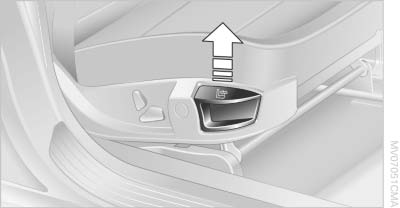
Forward/backward
Pull the lever and slide the seat into the desired position. After releasing the lever, move the seat forward or back slightly to make sure it engages properly.
Thigh support
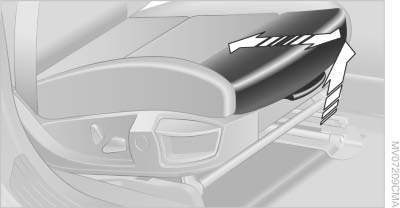
Thigh support
Pull the lever and move the thigh support forward or back
See also:
System limits
Top View cannot be used in the following situations:
▷ With a door open.
▷ With the trunk lid open.
▷ With an exterior mirror folded in.
▷ In poor light.
A Check Control m ...
All around the steering wheel
All around the steering wheel
1. Rear window safety switch
2. Power windows
3. Exterior mirror operation
4. Lamps
Instrument lighting
&n ...
New contact
1. "Contacts"
2. "New contact"
New contact
3. The entry fields are still filled with the previous
entries: "Delete input fields"
4. Fill in the entry fields: sele ...