
Services status
General information
Check services status.
Displaying available services
Display of all services available in the vehicle.
1. "ConnectedDrive"
2. "Service Status"
3. "Available services"
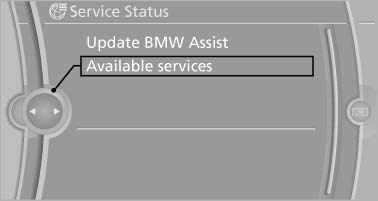
Updating BMW Assist
Manual update of TeleService* and BMW Assist*.
"Update BMW Assist"
Data transfer
During the updating of BMW services, display the status of the data transfer.
1. "ConnectedDrive"
2. Open "Options".
3. "Data transfer"
See also:
Side airbags
In a lateral impact, the side airbag supports the
side of the body in the chest and lap area. ...
Status information
Status boxThe status box at the top right displays the following information:
> Time
> Current entertainment source
> Sound output ON/OFF
> Mobile phone network with strongest receptio ...
Integrated Owner's Manual inthe vehicle
The integrated Owner's Manual can be displayed
on the Control Display. The equipment
and functions that are in the vehicle are described
therein. ...