
Automatic Service Request
The TeleService data necessary for servicing the vehicle are automatically sent to your service partner prior to the service deadline. If possible, the service partner will contact you and a service appointment can be arranged.
To check when your service partner was notified:
1. "Vehicle Info"
2. "Vehicle status"
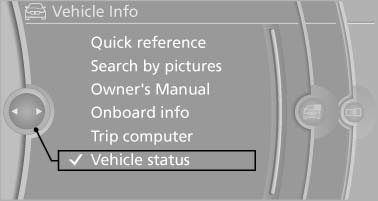
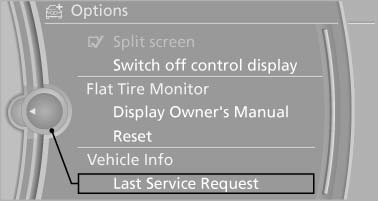
3. Open "Options".
4. "Last Service Request"
See also:
Start/Stop button
Start/Stop button
Pressing the Start/Stop button switches the ignition
on or off and starts the engine.
The engine starts if the brake pedal is pressed
when you press the Start/Stop button. ...
Resetting the system
Reset the system after each correction of the
tire inflation pressure and after every tire or
wheel change.
1. "Vehicle Info"
2. "Vehicle status"
3. "Reset"
4. S ...
Starting destination guidance
1. "Navigation".
2. Make a destination entry.
3. "Accept destination".
4. "Start guidance".
▷ The route is shown on the Control Display.
▷ The distance t ...