
Selecting the calendar day
1. Select the date.
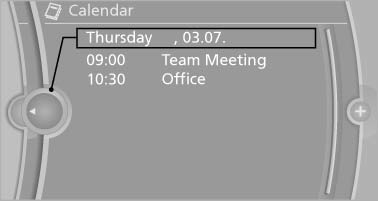
2. Select the desired day or date.
- "Next day"
- "Date:"
- "Previous day"
- "Today"
See also:
Engine oil temperature
▷ Cold engine: the pointer is at
the low temperature end.
Drive at moderate engine and
vehicle speeds.
▷ Normal operating temperature:
the pointer is in the middle
or in the lef ...
Functional requirements
The system must have been reset when the inflation
pressure was correct; otherwise, reliable
signaling of a flat tire is not ensured. Always use
wheels with TPM electronics to ensure that the
...
Maximum cooling
Press the button.
The system is set to the lowest temperature,
maximum air volume and recirculatedair
mode.
Air flows out of the vents for the upper body region.
Open them for this purpose.
...