
Incoming call
Receiving calls
If the number of the caller is stored in the phone book and is transmitted by the network, the name of the contact is displayed. Otherwise, only the phone number is displayed.
If more than one phone number is assigned to a contact, only the name of the contact is displayed.
For calls on the additional telephone, the number is only displayed if it is transmitted by the network.
An incoming call to the additional telephone is automatically rejected if there is an active call on the other telephone.
Accepting a call
Via iDrive
 "Accept"
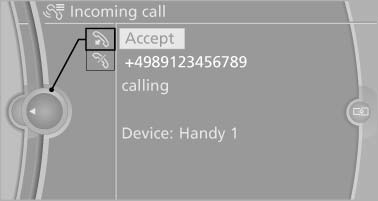
Via the button on the steering wheel
 Press the button.
Via the instrument cluster*
"Accept"
Rejecting a call
Via iDrive
 "Reject"
Via the instrument cluster
"Reject"
Ending a call
Via iDrive
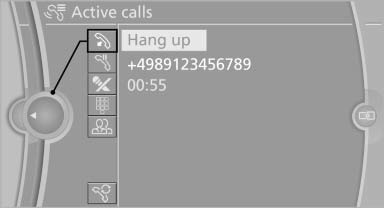
 "End call"
Via the button on the steering wheel
 Press the button.
Via the instrument cluster
"End call"
See also:
Roller sunblinds for the rear side windows
Pull out the roller sunblind at the loop and hook
it onto the bracket.
Do not open the window while
the roller
sunblind is raised.
Do not open the window while the roller sunblind
is raised ...
Hood
Opening the hood
Working in the engine compartment
Never attempt to perform any service or
repair operations on your vehicle without the
necessary professional technical training.
If you are unf ...
Camera
Camera
The camera lens is located in the handle of the
trunk lid. The image quality may be impaired by
dirt.
Clean the lens. ...