
Cargo area
Net
Smaller objects can be stored in the net on the side of the cargo area.
To transport larger objects, it can be pushed down.
Storage compartment under the cargo floor panel
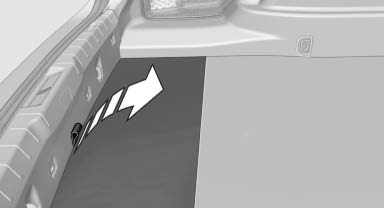
Raise the cargo floor panel.
Storage compartment on the side
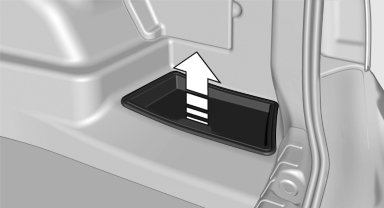
Under the cover on the side of the cargo area is a storage compartment that can be used to store the printed Owner's Manual, for example. Remove the cover.
Lashing eyes
To secure the cargo, there are lashing eyes in the cargo area.
See also:
2012 BMW 535 Review by Joe Wiesenfelder
I don't walk away from every new model with a single overriding impression,
but sometimes a car grabs me by the collar and shakes me. While that wasn't
exactly the case with the redesigned 2011 BM ...
Messages
General informationThe displaying of text messages and emailsfrom the mobile phone depends
on whether the mobile phone supports transmission into the vehicle from the mobile
phone. Text messages a ...
The concept
This system issues a warning at speeds above
approx. 40 mph/65 km/h if the vehicle is about
to leave the lane on roads with lane markings.
The steering wheel begins vibrating gently. The
time o ...