
Opening
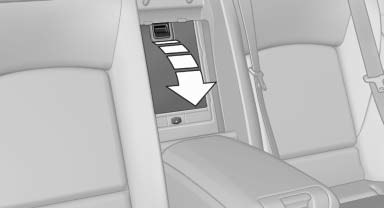
Pull on the opener and fold the cooler forward.
See also:
The concept
▷ The mobile phone can be operated without
taking your hands from the steering wheel.
▷ In many cases, the entries are accompanied
by announcements or questions.
▷ ›...‹ Verbal ...
Setting the compass zones
Sets the particular compass zones on the vehicle
so that the compass operates correctly; refer
to World map with compass zones.
World map with compass zones
World map with compass zones
Proce ...
External temperature
External temperature warning
If the display drops to +37 ℉/
+3 ℃, a signal sounds.
A Check Control message is displayed.
There is the increased danger of
ice.
Ice on roads
Even ...