
Switching on/off
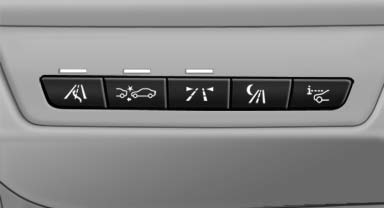
 Press the button.
- On: the LED lights up.
- Off: the LED goes out.
The system can issue warnings at speeds above approx. 40 mph/65 km/h.
The state is stored for the remote control currently in use.
See also:
Aerodynamic optimisation of underside panelling
As the excellent drag coefficient (cd = 0.26) would suggest, the aerodynamics
of the new BMW 3-Series have been intensively honed in a state-of-the-art wind
tunnel. The optimised aerodynamics also ...
Under the Hood
The 135i's turbocharged inline-six makes 300 horsepower and 300 pounds-feet
of torque. It works through a six-speed manual or BMW's seven-speed dual-clutch
automatic. Either car hits 60 mph in abo ...
System limits
Personal responsibility
The high-beam assistant cannot serve as
a substitute for the driver's personal judgment
of when to use the high beams. Therefore, manually
switch off the high beams in ...