
Calling up information on the info display
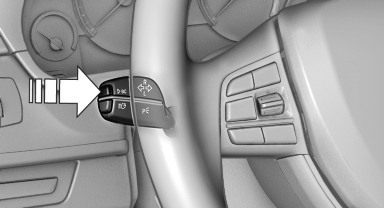
Press the computer button on the turn signal lever.
Information is displayed on the info display of the instrument cluster.
See also:
Switching the system on/off
Switching off
At the lowest fan speed, press
the left
side of the button on the driver's side.
Switching on
Press any button. ...
General information
Instructions for voice activation system.
To have the available spoken instructions read
out loud: ›Voice commands‹ ...
Switching spoken instructions on/off
The setting is stored for the remote control currently
in use.
1. "Navigation"
2. "Map"
3. "Voice
instructions" ...