
Emergency unlocking
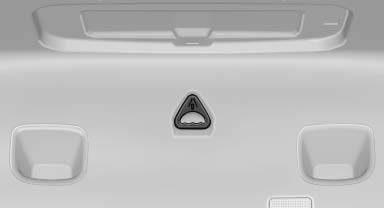
Pull the handle inside the cargo area. The trunk lid unlocks.
See also:
Storing a trip
Up to 30 trips can be stored in the trip list. If
necessary, delete existing trips to be able to
store new trips.
1. Open "Options".
2. "Store trip"
3. Enter a name for the ...
Radar sensors
The radar sensors are located under the rear
bumper.
The system may not be fully functional in the
following situations:
▷ Dirty or icy bumper.
▷ Stickers on the bumper.
A Check ...
Sound output via speakers
In addition to the headphones, you can also play
the sound via the vehicle speakers.
1. "CD/Multimedia"
2. "External devices"
3. "AUX rear"
4. "Volume"
5 ...