
Service Request
At a glance
Sends information to your service partner to request the arrangement of a service appointment.
The TeleService data is transmitted during a Service Request. If possible, your service partner will establish contact with you.
Starting a Service Request
1. "BMW Assist" or "ConnectedDrive"
2. "Service Request"
3. "Start service"
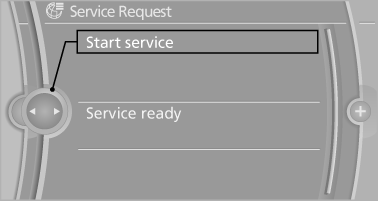
A Service Request can be started via a Check Control message
See also:
Traction
The traction grades, from highest to lowest, are
AA, A, B, and C.
Those grades represent the tire’s ability to stop
on wet pavement as measured under controlled
conditions on specified governme ...
Controls on the interior rearview mirror
Controls on the interior rearview mirror
▷ LED, arrow 1.
▷ Buttons, arrow 2.
▷ The hand-held transmitter, arrow 3, is required
for programming. ...
Exclusively from BMW ConnectedDrive: a wide range of driver assistance
systems, including BMW Head-Up Display with a full spectrum of colours.
The selection of driver assistance systems and mobility services available
from BMW ConnectedDrive for the new BMW 6-Series Coupe is even broader than that
enjoyed by its predecessor. These system ...